
Built for tradies who want to run jobs, not chase paperwork.
Enquiries, quotes, jobs, scheduling, timesheets and invoices in one place. Built for the sole trader with a ute and for the business running five crews.
From first call to paid invoice
One record follows the work the whole way. Nobody types the same thing twice.
- STEP 01
The enquiry comes in
Put the enquiry form on your own website. Customers describe the job and attach up to three photos, and it lands in Rivetly with an email to you. A captcha most people never see keeps the bots out.
- STEP 02
You quote it
Build the quote from your price list and your team's labour rates. Every line shows you its cost, markup and profit. The customer sees none of that.
- STEP 03
The customer accepts online
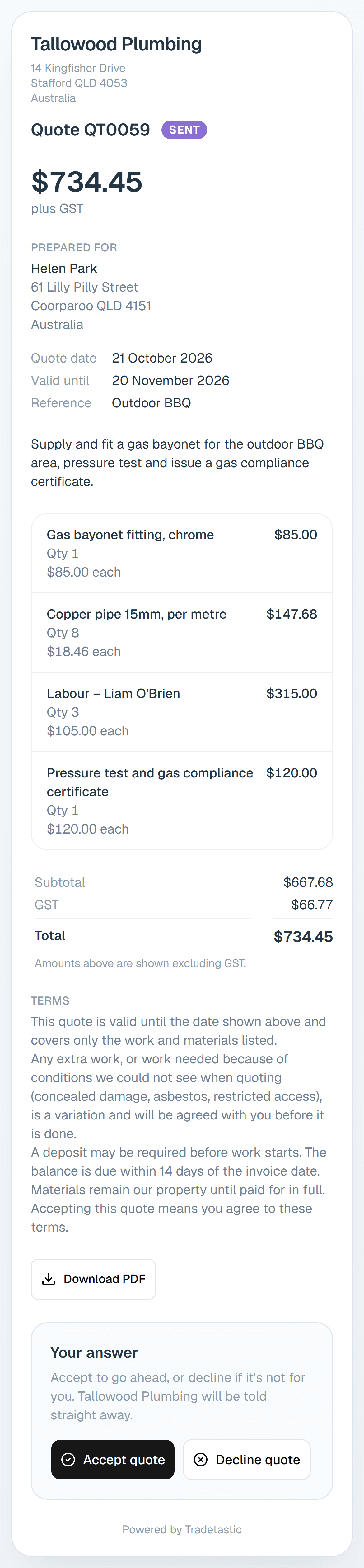
The quote goes out as a PDF with a private link. Your customer reads it on their phone or laptop and taps Accept or Decline, and you get an email the moment they do.
- STEP 04
It becomes a job
Turn the accepted quote into a job and every line comes with it. Schedule your crew, add notes and tasks, and keep the paperwork against it.
- STEP 05
The crew tracks their time
Staff start a travel or work timer from the job, stop it, check it and lodge it. You see the hours, what they cost and what's billable in the timesheet report.
- STEP 06
You invoice it
Invoice everything on the job that hasn't been billed yet. It goes out as a PDF with your bank details, and syncs to Xero along with its payments if you use it.
Your customer says yes from their phone
Every quote you send carries a private link. The customer reads it, downloads the PDF if they want it, and accepts or declines with a reason. You get an email either way, and an accepted quote is one step from being a job.
- No account and no app for the customer to download.
- A new private link every time you resend, so old ones stop working.
- Expired quotes can't be accepted.
- Your costs and margins never leave your screen.
And everything around the job
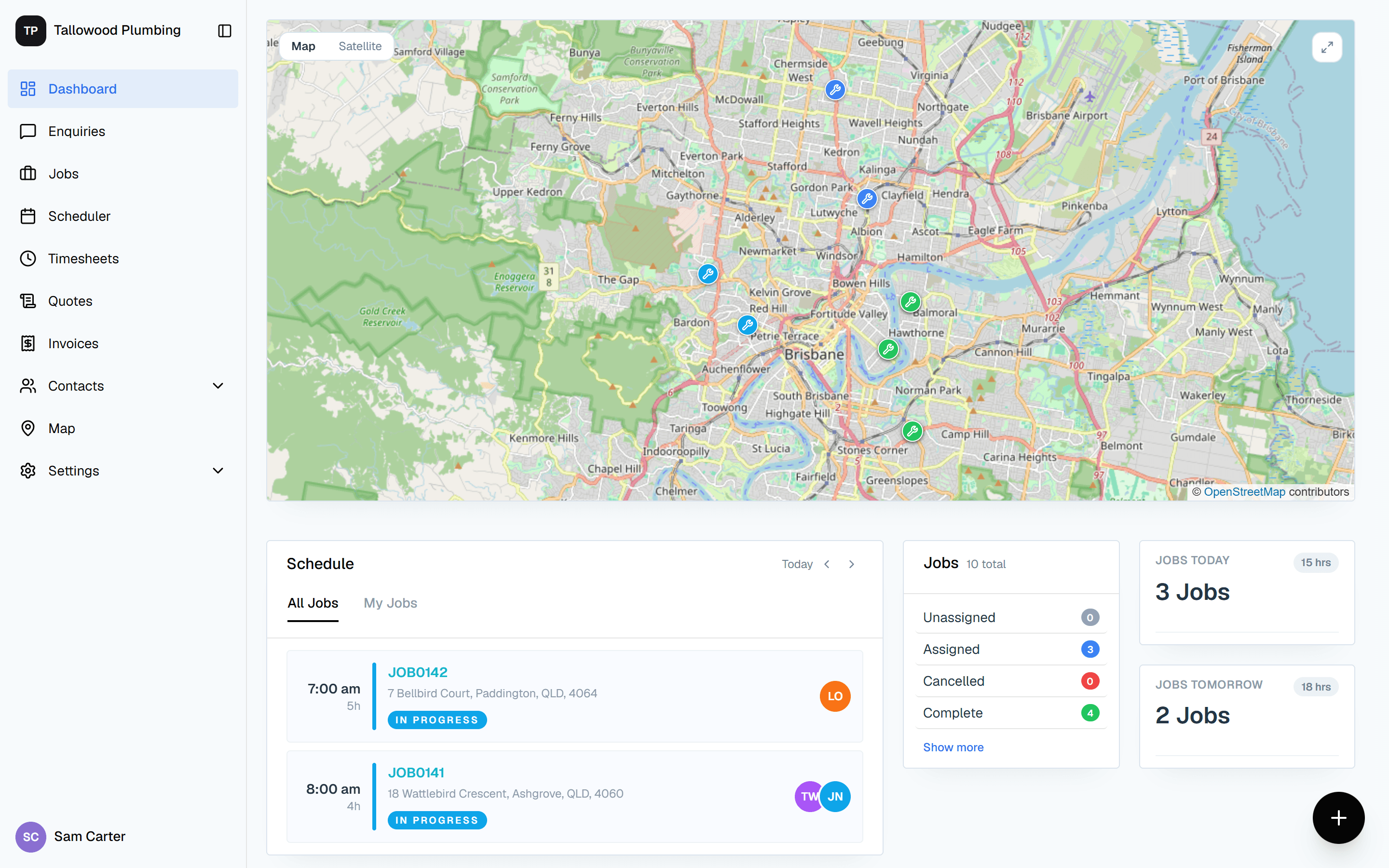
Scheduler
Day, week, month and timeline views across the whole team, in your business's own time zone.
Map
Your jobs on a map, filtered by status, staff member or date.
Price list
Items with a buy price and markup, grouped by category and supplier. Sell prices work themselves out.
GST your way
Each quote or invoice can be tax exclusive, tax inclusive or GST-free, starting from your default.
Documents
Contracts, certificates, compliance paperwork and photos stored against the job, virus-scanned on upload.
Full history
Every change to a job, quote or invoice is recorded with who made it, so you can always see what happened.
Team and roles
Invite staff by email. Employees see the jobs they're scheduled on. Quotes, invoices and costs stay with the boss.
Customers and suppliers
Every contact in one place, with Australian address lookup built in.
What we're building next
- Supplier price list import
- Load thousands of items straight from your supplier's spreadsheet.
- MYOB and QuickBooks
- The same accounting sync Xero has today, for the other two big names.
- Reporting across the business
- Jobs, crews and revenue side by side, beyond the timesheet report.
- Multi-branch businesses and SSO
- Structure and sign-in for companies running several depots.
See Rivetly running with your own jobs
Tell us a bit about your business and we'll walk you through it.
Request a demo